

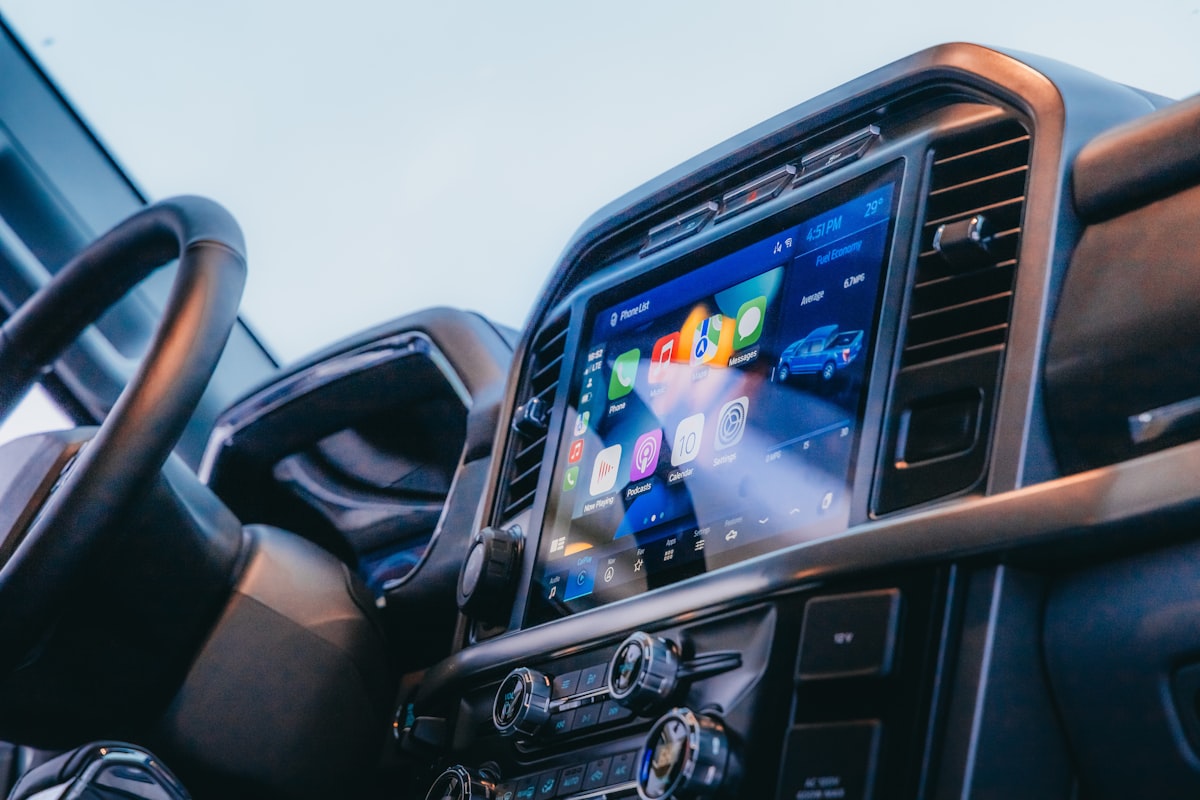
The best Android Auto apps and Apple CarPlay apps for South African drivers cover four jobs: navigation that knows SA roads, music and podcasts for the long crawl, WhatsApp without touching your phone, and voice control that actually listens. This guide walks through the apps worth installing in 2026, the ones that won't work no matter what you try, and the one upgrade that makes every single app on this list start automatically the moment you get in the car.
Already know what you need? Browse the Northly North-Link adapter (R659, in stock, SA delivery). Otherwise read on for the full app rundown.
Which Apps Can Be Added to Android Auto and Apple CarPlay?
Android Auto and Apple CarPlay support apps in five approved categories: navigation, audio, messaging, calling and a handful of car and charging tools. Google and Apple decide which apps are allowed on the car screen, and they only approve apps that are safe to glance at while driving. That's why you'll find Spotify and Waze on your dashboard but never Instagram.
There's no separate app store for your car, so the best Android Auto apps are simply the phone apps you already trust. If an app supports Android Auto or CarPlay, it appears on the car screen automatically once it's installed on your phone. Google keeps a running list on its Android Auto apps support page, and Apple explains its categories on the official CarPlay page.
One thing worth clearing up early: a wireless adapter doesn't add apps. It only carries the same approved apps to your screen without the cable. What you see is decided by Apple, Google and your phone.
The Best Navigation Apps for South African Roads
Waze is the navigation app most SA drivers should run first, because its crowd-sourced alerts catch the stuff Google Maps is slower to show: speed traps on the N1, a robot out after load shedding, or a lane closed on the M1 before you're stuck in it. Google Maps remains the better all-rounder for finding places, estimating arrival times and offline maps, so most drivers keep both and switch depending on the trip.
On the iPhone side, Apple Maps has improved in SA's metros but still trails Google's local business coverage. It's fine for Cape Town or Sandton. For a farm road outside Polokwane, stick with Google Maps or Waze.
A practical tip that saves data: download your home province as an offline map in Google Maps while you're on Wi-Fi. Navigation then sips data instead of streaming the whole map over LTE.
Every one of these apps starts faster when your phone connects the moment you sit down. That's the case for going wireless with a plug-and-play wireless adapter like the North-Link: no fumbling for a cable at 6am, navigation already loading while you reverse out the driveway.
Music, Podcasts and Audiobooks for the Daily Commute
Spotify is the most complete audio app on both Android Auto and CarPlay, with YouTube Music a close second for anyone already paying for YouTube Premium. Both give you full browsing on the car screen, voice search, and playlists that pick up where your kitchen speaker left off.
For podcasts, Pocket Casts and Spotify handle the basics well. Audiobook listeners should install Audible. A 40-minute Joburg commute gets you through a book every two weeks or so. Not a bad return on traffic.
Same data tip applies here. Download playlists and episodes on Wi-Fi before you leave. Streaming a morning's worth of music every day adds up fast on a capped contract.
WhatsApp on Your Car Screen: Yes, It Works
WhatsApp works on both Android Auto and Apple CarPlay for voice notes, message playback and dictated replies, which matters in a country where WhatsApp basically is messaging. Incoming messages get read aloud by Google Assistant or Siri. You reply by voice. Your eyes stay on the road, and the school lift club still gets an answer.
What you won't get is the full chat interface. No scrolling old messages, no photos, no group admin drama on the dashboard. That's deliberate. Voice in, voice out.
Not sure your car can run any of this? WhatsApp Theron with your car's make, model and year and he'll confirm what your screen supports before you spend anything.
Can You Watch Netflix or YouTube on Android Auto?
No. Netflix, YouTube and every other video app are blocked on Android Auto and Apple CarPlay, and no standard adapter changes that. Both systems are built for driving-safe apps only, and video isn't one of them. The same rule applies to games and social media.
Here's the thing: some imported gadgets promise video on the dash. They do it by running their own software, they're a different product category entirely, and passengers watching movies on the main screen sits in murky legal territory while the car is moving. The North-Link doesn't do video, and we'd rather tell you that upfront than let a product page imply otherwise.
EVERY APP, NO CABLE
The North-Link converts your car's wired CarPlay or Android Auto to wireless. Pair once, and Waze, Spotify and WhatsApp are on your screen before you've buckled up. R659, delivered in SA within 24 to 72 hours.
How Do You Get Apps to Show Up on the Car Screen?
Install the app on your phone, make sure it's updated, and it appears on the car display on its own the next time you connect. If something's missing, update the Android Auto app itself (Android) or check Settings, then General, then CarPlay (iPhone) where you can also reorder the icons.
Three quick fixes cover most missing-app complaints. Update the app. Restart the phone. Check the app actually supports the car platform, because plenty of Android apps have no Android Auto version at all.
Will These Apps Work in Your Car?
These apps run in any car with Apple CarPlay or Android Auto, which covers most vehicles sold in South Africa from around 2018 onward. The 30-second check: plug your phone in with a cable and see if CarPlay or Android Auto appears on the screen. If it does, every app in this guide is available to you. If nothing appears, your car doesn't support the system, and no app or adapter will change that.
You can confirm your specific model on Apple's CarPlay available-models list and Google's Android Auto compatibility list, or use the free SA compatibility checker that covers 616 vehicles sold locally, including trim-level detail the global lists skip.
If your car supports wireless Android Auto natively, your phone needs Android 11 or newer and 5GHz Wi-Fi, per Google's Android Auto requirements. With an adapter doing the wireless part, older Android versions that support wired Android Auto work too.
Got a question this article didn't cover? WhatsApp Theron directly. Real person, SA hours, straight answers.
The Upgrade That Makes Every App Better
The single change that improves the best Android Auto apps and CarPlay apps alike is going wireless, because apps you don't have to plug in are apps you actually use. Short trips are where cables lose: the school run, the shop dash, the quick client visit. Wireless means Waze is already routing while you're still putting on your seatbelt.
Worth noting: the North-Link handles both wireless Apple CarPlay and wireless Android Auto from one dongle, so an iPhone household and an Android household get the same result. It ships from inside SA with a locally honoured warranty, and 35 verified buyers have it at 4.72 stars. If you want the full comparison against imports, read the wireless Android Auto adapter buyer's guide next.
READY TO GO WIRELESS?
Get the North-Link adapter for R659 and every app in this guide starts automatically, every drive. SA stock, Aramex delivery in 24 to 72 hours, locally honoured warranty.


